CRM and sales software alternatives, compared by type
Customer relationship management software sits at the centre of most sales operations, and it is also one of the most frequently replaced categories of business software. Contracts renew, teams outgrow a simple pipeline, or a once-small company discovers that its first CRM cannot follow a more complicated sales process. This hub gathers what our public-source review found about four widely discussed products: Salesforce, Pipedrive, Zoho CRM and Drift, and it points you to a dedicated alternatives page for each of them.
The four guides together hold 190 entries, and many names appear more than once. Freshsales, Copper, Capsule, Attio, Less Annoying CRM, Bitrix24, Folk, Twenty, EspoCRM and SuiteCRM each turn up in three of the guides, which tells you something useful: when different people search for a replacement for different CRMs, the same short list of smaller, simpler or open products keeps surfacing. Each entry is sorted into one of ten types, from direct competitors to do-it-yourself spreadsheets, so that you can match a reason for switching to a kind of replacement.
Everything here rests on public sources reviewed in November 2026. We did not test any product, and we do not quote prices or feature lists because those change quickly and are not part of our data. Treat the pages as a map for building a shortlist, then confirm current plans on each vendor's own site. If you want to know how the data was assembled, read our methodology page first.
- Direct: 30 (21%)
- Budget: 9 (6%)
- Free: 7 (5%)
- Enterprise: 12 (9%)
- Open source: 26 (19%)
- Self-hosted: 2 (1%)
- Regional: 29 (21%)
- Built-in: 6 (4%)
- Adjacent: 8 (6%)
- DIY: 11 (8%)
CRM & Sales Software guides: pick the product you want to replace
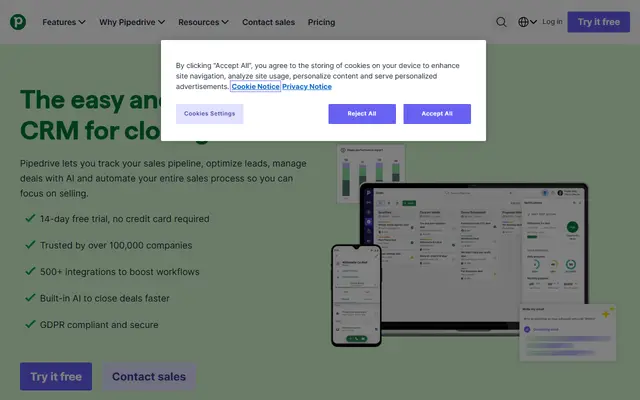
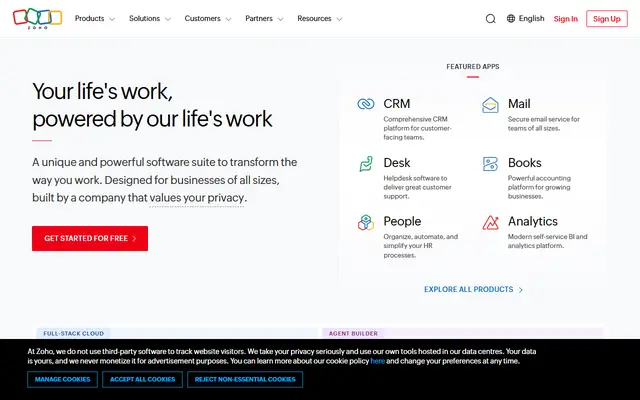
The CRM and sales software category at a glance
A CRM stores contacts, companies, deals and the history of every conversation, then helps a team move opportunities through a pipeline. Around that core, vendors add email and calling, quotes and invoices, marketing automation, reporting, and increasingly assistants that draft messages or summarise accounts. The category is wide because the buyer can be a one-person consultancy tracking twenty deals or a multinational with thousands of sellers, and the same word covers both.
The products in this hub show how broad that range is. Salesforce is described in our data as the largest enterprise CRM platform, with Sales, Service and Marketing clouds and several acquired products around it. Pipedrive is a cloud CRM for small and medium businesses built around the sales pipeline, headquartered in Estonia and founded in 2010. Zoho CRM belongs to a suite of more than fifty applications according to Zoho itself. Drift sits on the edge of the category: our data pairs it with chat and conversational tools rather than pipeline systems.
Across the four guides the largest groups by type are direct competitors (40), regional options (38), open-source projects (31), enterprise-grade platforms (16) and do-it-yourself setups (15). Smaller groups include adjacent products (14), budget-friendly tools (12), built-in options (11), free tools (8) and self-hosted software (5). Open-source and regional entries are unusually numerous for this category, which reflects how many teams choose a CRM for data location, language or licensing reasons rather than for features alone.
How to choose a CRM or sales tool
Start from the process, not the product. Write down the stages a deal passes through, who touches it, and which systems must exchange data with the CRM: mailbox, calendar, accounting, support desk, website forms. A team with a short, linear sales cycle will be happy in a light pipeline tool. A team with account hierarchies, approval steps or several product lines needs objects, permissions and workflow rules that light tools do not offer.
Then decide how much configuration you are willing to own. Large platforms can be shaped to nearly any process, but shaping takes an administrator or a partner. Simple tools work on day one and stop where their designers stopped. Open-source CRMs give you control and no licence fee for the core, and in exchange you handle hosting, upgrades and backups. Be honest about which of those costs your organisation can carry for the next three years, not only the next three months.
Finally, plan for the data. Contacts, notes, attachments and email history are the asset you are moving, and exports differ greatly between products. Read the direct alternatives and enterprise-grade alternatives pages for the commercial route, and the open-source and self-hosted pages if you want to run the system yourself. These are the criteria that matter most:
- Pipeline fit: can you model your real stages, deal sizes and sales roles without workarounds?
- Team size and growth: check how seats, contacts and automations are counted before assuming a small plan will stay small.
- Email and calendar integration: contact history that updates itself saves more time than any dashboard.
- Customisation: custom fields and objects, reports, automation rules and an API decide whether the tool bends to your process.
- Data location and licensing: regional hosting, open licences and self-hosting matter for privacy rules and procurement.
- Reporting and forecasting: confirm the views managers need exist in the tool, not only in an export.
- Vendor direction: note ownership changes, product retirements and announced end dates in our status notes.
Why teams switch CRM products
The first reason is complexity. Teams that adopted a large platform for its depth sometimes find that only a fraction of it is used, while administration and licences are paid for in full. Our data reflects this: the alternatives to Salesforce include HubSpot, Pipedrive, Zoho CRM and Freshsales, each described as simpler or faster to launch. The mirror image also exists. Pipedrive customers who need more depth are pointed toward Salesforce Sales Cloud, Zoho CRM and Microsoft Dynamics 365 Sales.
The second reason is the shape of the suite. People who use Zoho for several functions ask whether to keep everything under one roof or to pick one specialist tool per job. Our data lists Zendesk Suite and Freshdesk as options that replace the support desk, Asana as the closest replacement for Zoho Projects, and QuickBooks or Xero for accounting. Switching one module is a very different project from leaving a whole suite.
Ownership and product changes drive the third reason. Pipedrive is noted as having bought Outfunnel in August 2026, and Salesforce is noted as frequently renaming and retiring individual products. SAP CRM entries in our data carry a source note about a planned phase-out in 2027 and 2028. None of these facts means a product is going away, but they are reasons to compare before a renewal rather than after it.
A fourth reason is location and control. European teams look at Sellsy, Teamleader, Efficy and weclapp, Indian teams at Kylas and LeadSquared, and Japanese teams at Kintone. Privacy-minded organisations look at self-hosted code such as Corteza, SuiteCRM and EspoCRM. The regional alternatives page gathers the first group, while the open-source hub covers the second.
About Salesforce alternatives
Salesforce is the enterprise end of the category, founded in 1999 in the United States and described in our data as covering Sales, Service and Marketing clouds, Slack, Tableau, MuleSoft and Agentforce. The page lists 47 alternatives, from simpler direct options such as HubSpot, Zoho CRM, Pipedrive and Insightly to open-source projects including SuiteCRM, Odoo CRM, EspoCRM and Twenty. Enterprise-grade names include Microsoft Dynamics 365 Sales, Creatio and Pegasystems. Read the full Salesforce alternatives guide to compare them by type and to see which entries we could not confirm in search.
About Pipedrive alternatives
Pipedrive is a pipeline-focused CRM for small and medium businesses, founded in 2010 in Estonia. Our data records its August 2026 purchase of Outfunnel and no rebrand in 2026. The guide covers 46 alternatives, with HubSpot Sales Hub, Zoho CRM, Freshsales, Nutshell, Copper and Salesflare among direct options, and Bigin by Zoho, Less Annoying CRM and NetHunt CRM as budget choices. Open-source seekers will find Twenty, EspoCRM and SuiteCRM, and spreadsheet-minded teams will find Notion and Airtable setups. See the Pipedrive alternatives page for each type in detail.
About Zoho CRM alternatives
Zoho CRM is the sales application inside a large suite founded in 1996 in India, and our data separates replacements for the CRM itself from replacements for the wider package. The page lists 47 options. For the CRM alone, look at HubSpot CRM, Pipedrive, Salesforce Sales Cloud, Freshsales and Insightly. For the suite, our data points to Microsoft 365 and Google Workspace, with Freshdesk, Asana and QuickBooks standing in for individual modules. Regional entries include Kylas, Sellsy, amoCRM and Kintone. Continue with the Zoho CRM alternatives guide for the complete list.
About Drift alternatives
Drift is the odd one out in this hub because its entries are website chat and conversational marketing tools rather than full CRMs. Our guide lists 50 alternatives. Direct names include Qualified, Intercom, Landbot and Zoho SalesIQ, budget picks include Tidio and Crisp, Tawk.to is the free entry, and Chatwoot and Typebot cover open source. Built-in options such as HubSpot Chatflows and Freshchat sit inside larger platforms. The Drift alternatives page explains these groups, and the adjacent alternatives page shows how scheduling and demo tools overlap.
Tools that keep showing up across crm & sales lists
When the same name appears in several alternatives lists, it is a useful signal that the tool is broadly relevant in this category. These are the names that appear most often across the 3 guides above:
- Freshsales — listed in 3 guides
- Copper — listed in 3 guides
- Capsule — listed in 3 guides
- Attio — listed in 3 guides
- Less Annoying CRM — listed in 3 guides
- Bitrix24 — listed in 3 guides
- Folk — listed in 3 guides
- Microsoft Dynamics 365 Sales — listed in 3 guides
- Creatio — listed in 3 guides
- SAP CRM — listed in 3 guides
- Twenty — listed in 3 guides
- EspoCRM — listed in 3 guides
- SuiteCRM — listed in 3 guides
- Krayin CRM — listed in 3 guides
- Odoo CRM — listed in 3 guides
- Corteza — listed in 3 guides
- Sellsy — listed in 3 guides
- amoCRM — listed in 3 guides
- Kylas — listed in 3 guides
- RD Station CRM — listed in 3 guides
- Kintone — listed in 3 guides
- Airtable as a CRM — listed in 3 guides
- Salesforce Sales Cloud — listed in 2 guides
- Zoho CRM — listed in 2 guides
Browse crm & sales alternatives by type
- Direct alternatives: 30 in this category. Products that solve the same core problem for the same kind of buyer. Switching usually means moving data and retraining people, not changing how you work.
- Budget-friendly alternatives: 9 in this category. Lower-cost tools that cover the essential jobs without the full feature surface. A good fit when you pay for seats or features you rarely open.
- Free options: 7 in this category. Tools with a free plan or free access that is usable on its own. Limits on volume, users or history usually apply, so check them before you commit.
- Enterprise-grade alternatives: 12 in this category. Platforms built for large teams: governance, audit trails, integrations and support contracts. They tend to cost more and take longer to roll out.
- Open-source alternatives: 26 in this category. Projects whose source code is public. You can inspect, modify and often self-host them, at the price of doing more of the maintenance yourself.
- Self-hosted alternatives: 2 in this category. Software you run on your own server or computer. You keep control of the data and the uptime, and you take on updates, backups and security.
- Regional and local alternatives: 29 in this category. Vendors that are strongest in a particular country or region: local languages, local payment methods, local data-residency rules and local support hours.
- Built-in features of platforms you already use: 6 in this category. Capabilities that already ship inside a suite or platform you pay for. They rarely match a specialist tool feature for feature, but they cost nothing extra.
- Adjacent tools: 8 in this category. Products that cover part of the job or approach it from another angle. Useful when you only need a slice of the original product.
- DIY and self-made approaches: 11 in this category. Spreadsheets, scripts and workflows you assemble yourself. Cheap and flexible for small needs, but they depend on whoever built them.
How the ten alternative types apply to CRM
Direct alternatives are the nearest like-for-like replacements, usually other cloud CRMs with similar pipelines. They are the largest group in this hub and the right starting point when your complaint is price or usability rather than architecture. Budget-friendly tools such as Bigin by Zoho, Less Annoying CRM and Capsule trade breadth for simplicity, and free options such as Bitrix24 and Folk suit very small teams. See the budget and free hubs for related products in other categories.
Enterprise-grade options exist for organisations that need governance, process automation and vendor support, and our data names Microsoft Dynamics 365 Sales, Creatio, Pegasystems and SAP CRM among them. Open-source and self-hosted options appeal to teams that want to inspect or host the code. Regional options respond to language, law and hosting location. Built-in options, such as a CRM view inside Gmail or a simple list in Microsoft 365, cover very light needs.
Adjacent products solve one neighbouring problem, for example ZoomInfo for contact data or Zendesk for support, while DIY setups on Google Sheets, Excel, Notion or Airtable cost little and scale poorly. A realistic plan often combines two types, such as a budget CRM plus a spreadsheet for reporting. Compare how each type works across all categories on the methodology page, which also explains what unconfirmed means.
Pitfalls when replacing a CRM
The most expensive mistake is underestimating data migration. Deals, activities, attachments and custom fields rarely map one to one between systems, and the history of who said what to a customer is the part people miss most after a switch. Plan a trial import with real records before you commit, and keep the old system readable until the first quarter-end report has been produced from the new one.
The second mistake is choosing on a demo. A polished demo shows the happy path of a vendor's best features, not the unusual deal types or approval steps that your team actually handles. Test your own process with a sample of live deals. A third mistake is treating open source as free: the licence may cost nothing, but hosting, upgrades, security patches and paid extensions have a price, as our notes on EspoCRM and SuiteCRM suggest.
- Migrating without a field-mapping plan, then discovering that deal stages and owners did not carry over.
- Picking the tool the loudest stakeholder knows rather than the one that fits the process.
- Ignoring announced product retirements, such as the planned phase-out noted for SAP CRM.
- Treating unconfirmed entries as safe choices before checking that the product still exists.
- Running two CRMs in parallel for too long, so that sales reps update neither.
- Forgetting consent records and data-protection duties when moving personal data between vendors.
Frequently asked questions
What is the best free alternative to Salesforce?
Our data lists Bitrix24, noted for a free plan with unlimited users, and Folk, a lightweight contact CRM, as free options in the Salesforce guide. Open-source choices such as SuiteCRM, EspoCRM and Twenty have no licence fee for the core but need hosting. Check each vendor's current terms because free plans change often.
Is there an open-source CRM that can replace Pipedrive?
Yes. The Pipedrive guide lists Twenty, EspoCRM, SuiteCRM, Krayin CRM, Atomic CRM and Warpdrive as open-source projects, and Customermates is described by its author as a Pipedrive replacement. They suit teams that can run their own server. We have not tested them, and several carry licences such as AGPL that you should read before deploying.
Which CRM alternatives suit very small teams?
Small teams are usually served by lighter tools. Our data names Bigin by Zoho, Less Annoying CRM, Capsule, Copper and NetHunt CRM for simple pipelines, and Streak for people who want a CRM inside Gmail. Spreadsheets and Notion also work at first but lack permissions and automation as the team grows.
What replaces Zoho CRM if I use the whole Zoho suite?
Replacing a suite means replacing each module. Our Zoho guide suggests Microsoft 365 or Google Workspace for the workplace tools, Zendesk Suite or Freshdesk for support, Asana for projects, and QuickBooks or Xero for accounting. Decide whether you want one vendor again or a set of specialist tools.
Are there European or regional CRM options?
Yes. Our data lists Sellsy with hosting in Paris, Teamleader from Belgium, weclapp from Germany, Efficy in Europe, plus amoCRM, Kylas, LeadSquared, Kintone and RD Station CRM for other markets. Check language support, local invoicing and data-protection terms against your own requirements.
What does Drift compete with?
In our data Drift is paired with website chat, chatbot and conversational marketing tools rather than pipeline CRMs. Entries include Qualified, Intercom, Landbot, Zoho SalesIQ, Tidio, Crisp and Tawk.to. If you need a full sales pipeline too, compare a chat tool with a CRM, or look at built-in options such as HubSpot Chatflows.
Can a spreadsheet work as a CRM?
For a few dozen contacts it can, and our data lists Google Sheets, Excel, Notion and Airtable as DIY routes. The limits appear quickly: no access control, manual activity logging and weak reporting. Treat a spreadsheet as a stepping stone and plan the move to a real CRM before the data becomes critical.
How should I move data out of my current CRM?
Export contacts, companies, deals, notes and custom fields while your plan is active, map them to fields in the new tool, and run a test import with a small sample. Keep the old system read-only for a full reporting cycle. We do not verify export features, so confirm what each product allows.
Other categories
- Lead Intelligence & ProspectingB2B contact data, enrichment, visitor identification and outreach.
- Email Marketing & DeliveryNewsletters, automation, transactional email and sending infrastructure.
- SEO & Search ToolsKeyword research, rank tracking, audits and content optimization.
- Marketing Analytics & TrackingWeb analytics, reporting dashboards, click-fraud protection and tag management.
- Social, Influencer & Affiliate MarketingSocial media management, influencer marketplaces and partner programs.
- Customer Support & MessagingHelp desks, shared inboxes, live chat and messaging platforms.
- IT Management & MonitoringService management, infrastructure monitoring, device management and remote access.
- Cloud, Hosting & InfrastructureVirtual servers, hosting providers, virtualization and edge networks.
- Payments, Spend & CryptoPayment processing, corporate cards, expense management and exchanges.
- Accounting & ERP SoftwareBookkeeping, invoicing and small-business ERP.
- HR & Global HiringHR information systems, employer-of-record and global payroll.
- Telephony, Video & CommunicationsCloud phone systems, contact centers, CPaaS and video hosting.
- Documents, Projects & ProductivityE-signature, proposals, project management, intranets and surveys.
- Data, Proxies & UtilitiesWeb data collection, proxy networks and system utilities.
- Everyday AlternativesAlternatives for fitness, cooking, car parts and legal streaming.
- Personal Finance & InvestingAlternatives to traditional student loans, investing platforms and credit scoring. General information only.